> For the complete documentation index, see [llms.txt](https://docs.reorc.com/llms.txt). Markdown versions of documentation pages are available by appending `.md` to page URLs; this page is available as [Markdown](https://docs.reorc.com/cn-reorc-help-center/shu-ju-jian-mo/zi-dong-hua-ce-shi/custom-generic-tests.md).
# Custom generic tests
Beyond built-in generic tests, you can write custom generic tests to cover complex testing scenarios.
At bottom, generic tests are Jinja macros that return failing rows. These tests are considered project-level asset and can be used across different models in your project.
To define a generic test, simply write a macro and wrap it within `{% test %} {% endtest %}` block. A generic test should accept one or both standard parameters:
* `model`: The model or resource where the test is applied.
* `column_name`: If the test validates assumptions about a specific column's data, include the `column_name` parameter.
Here's an example:
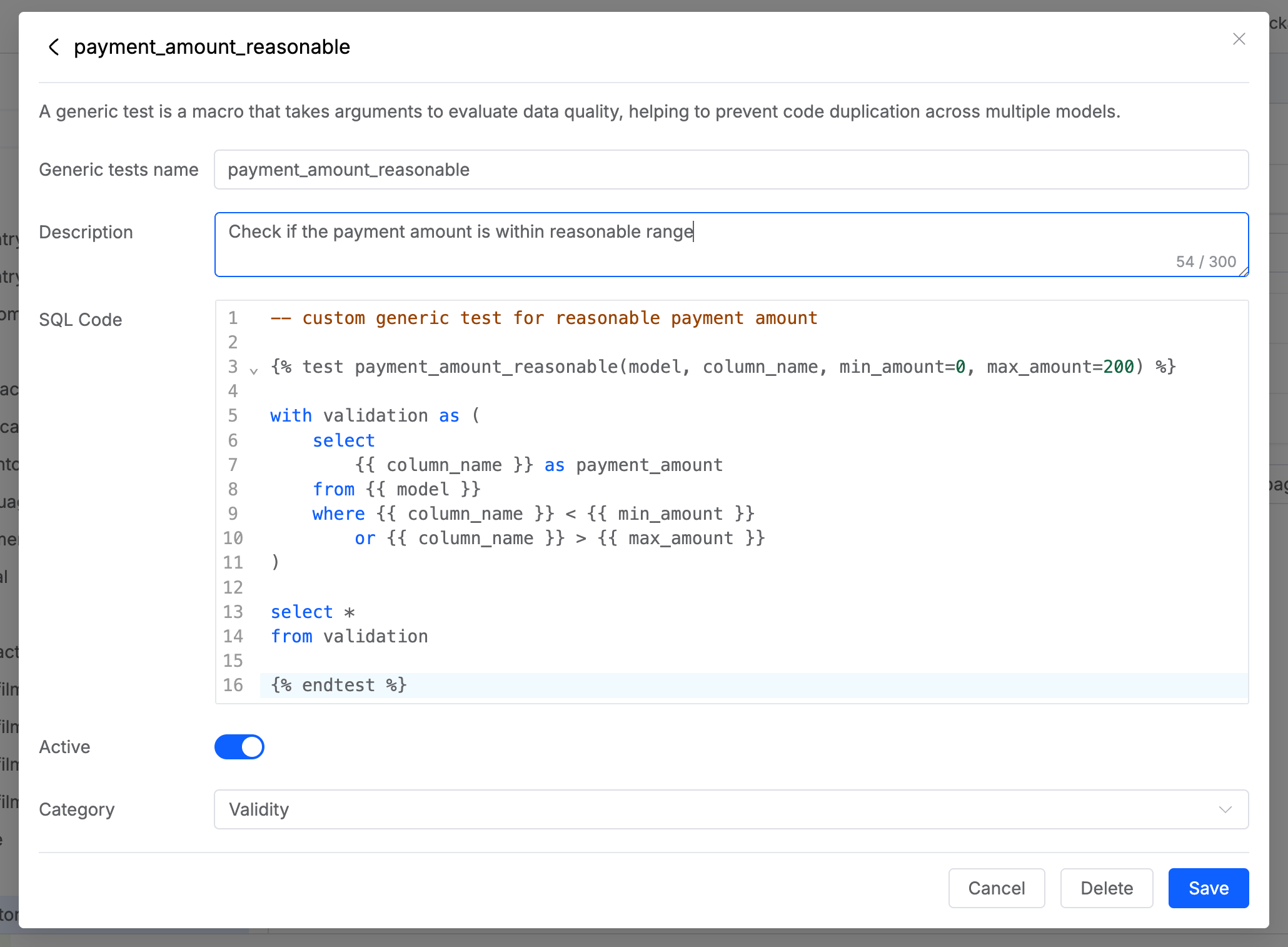
This `payment_amount_reasonable` test receives four parameters: the model, column name, minimum and maximum amounts. Inside, the validation logic is organized into a CTE (common table expression) that queries all the payment amounts not in the reasonable range.
```sql
-- custom generic test for reasonable payment amount
{% test payment_amount_reasonable(model, column_name, min_amount=0, max_amount=200) %}
with validation as (
select
{{ column_name }} as payment_amount
from {{ model }}
where {{ column_name }} < {{ min_amount }}
or {{ column_name }} > {{ max_amount }}
)
select *
from validation
{% endtest %}
```
## Create a custom generic test
To create a custom generic test, follow these steps:
1. In your project, go to **Library** > **Generic Test**.
2. Click **+ Add new**.
3. Define the generic test with the following fields:
* Generic test name: provide the displayed name for your test.
* Description: describe the functionality of the test.
* SQL Code: provide the test code.
* Category: select the test category that the test should reflect.
4. Click **Add**.
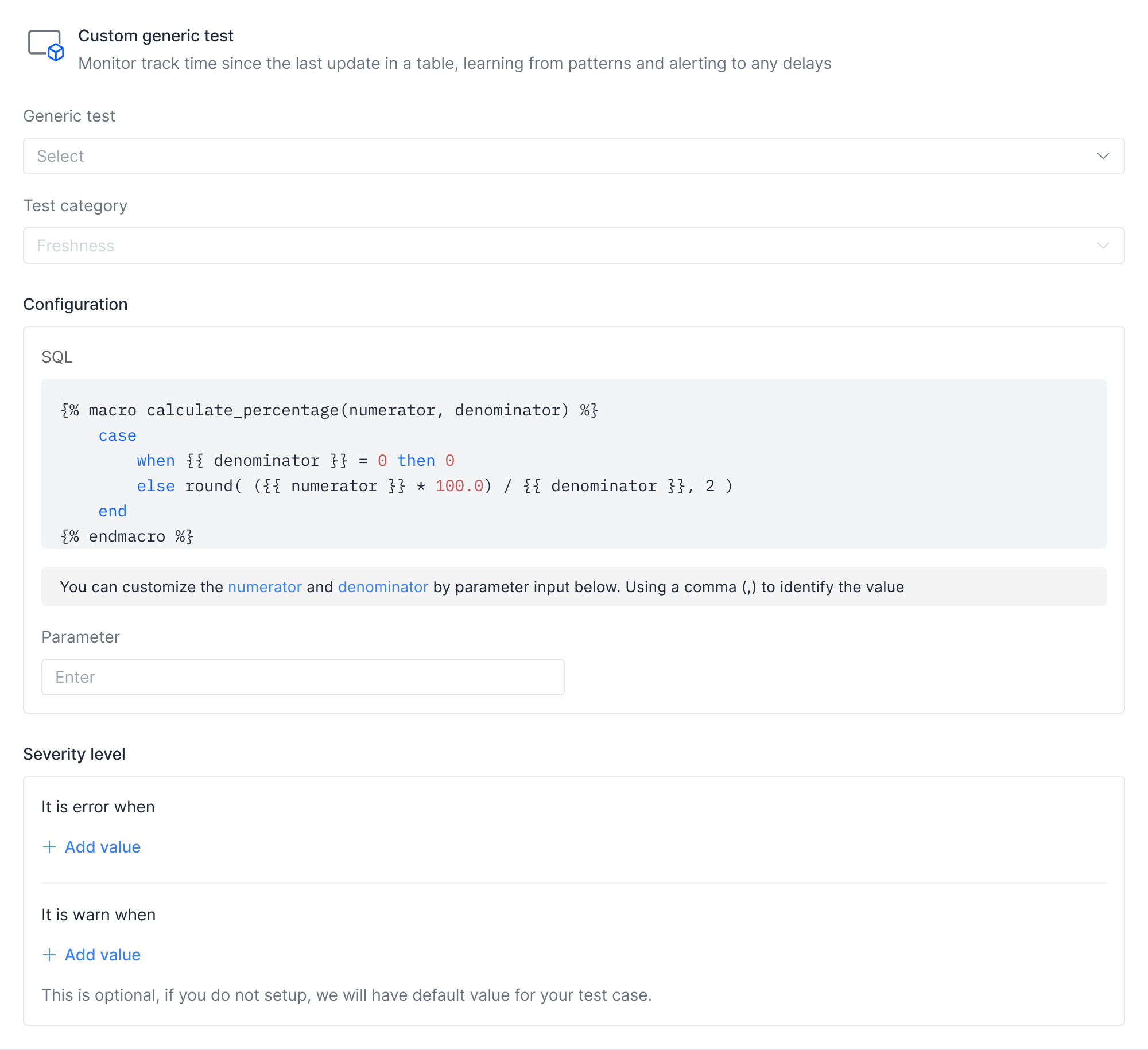
The created generic test is then accessible from **Test case template**. You set up the test the same way as a built-in genertic test. Specify parameter values in the **Configuration** section: